Link KACE Cloud with Apple Business Manager
In Apple Business Manager
- Go to business.apple.com and log in to your company’s account.
- Click Settings at the bottom left of the navigation pane.
- Under Personal Settings, select Apps and Books.
- In the right panel under My Server Tokens, click Download, then Save.
In KACE Cloud
- Select the Settings tab in top navigation.
- Select Apple Settings > Volume Purchase Program.
- Click Select VPP Token.
- Locate downloaded Managed Distribution Token (.vpptoken file).
- Click Open to upload token.

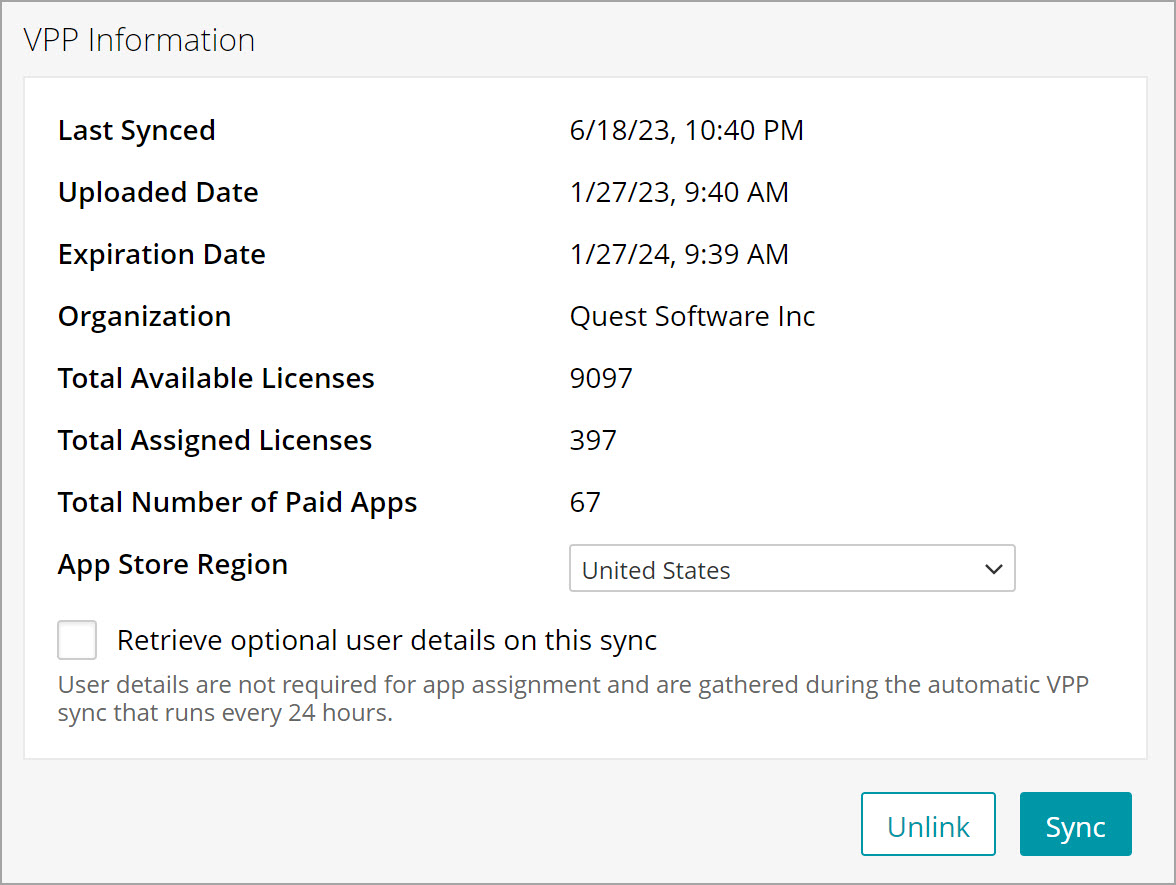
Once the token has been successfully uploaded, your VPP account information appears this page:
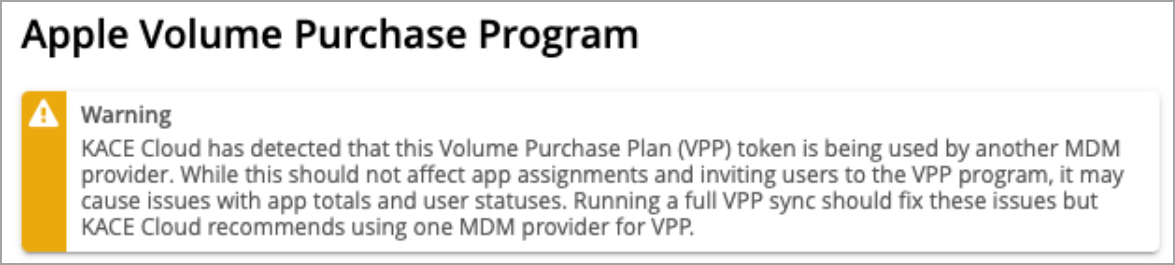
If the uploaded token is already used with another MDM provider, a notification appears. This may cause issues with how total app licenses are reported in KACE Cloud. It is recommended that each MDM provider uses their own VPP token.
You can then purchase licensed apps in Volume Purchase Program for assignment in KACE Cloud.
Only licenses purchased with Managed Distribution are available through KACE Cloud. We do not currently support uploading of Redemption Code CSV files for management and distribution.
The admin’s VPP account token must be re-uploaded any time their password changes or after a year has passed since it was last generated. This token is available using the Download Token link in the user's iTunes Account Summary.